
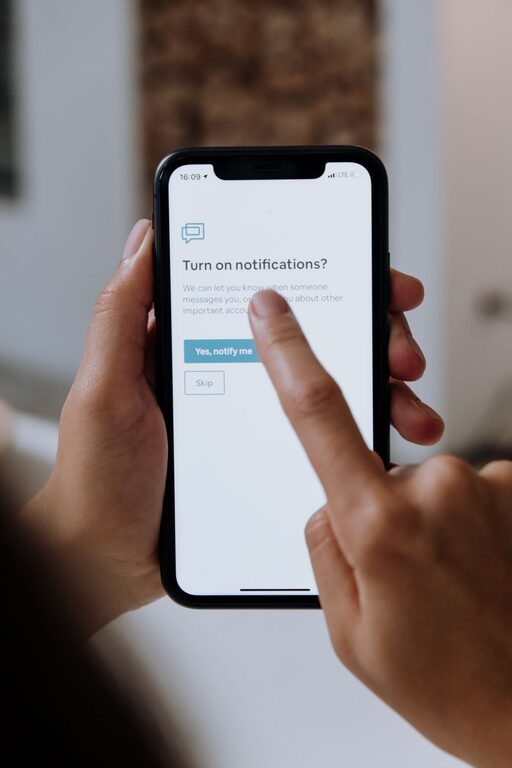
In today’s digital world, notifications are a constant companion. Whether it’s a buzzing phone, a flashing screen, or a pop-up alert, notifications demand our attention throughout the day. While they can be useful reminders, unchecked notifications often disrupt focus, increase stress, and reduce productivity. Setting clear boundaries with notifications is an essential skill for maintaining balance and staying on track.
This article offers practical tips to help you manage notifications effectively, so you can enjoy the benefits of technology without feeling overwhelmed.
Why Setting Boundaries with Notifications Matters
Notifications are designed to grab your attention. But when too many alerts stack up, it can lead to:
– Frequent distractions that break your concentration
– Anxiety from feeling ‘always on’ or pressured to respond immediately
– Reduced productivity due to multitasking and constant interruptions
– Difficulty maintaining a healthy work-life balance
By setting boundaries, you take back control of your time and attention. You decide when and how to engage with notifications, which helps improve focus, reduce stress, and create space for meaningful activities.
Practical Tips for Managing Notifications
1. Assess Your Current Notification Settings
Start by reviewing the apps and services that send you notifications. Ask yourself:
– Which notifications are essential?
– Which alerts interrupt your focus unnecessarily?
– Are there some notifications you never engage with?
This reflection helps you identify what to keep, disable or modify.
2. Turn Off Non-Essential Notifications
Many apps default to sending multiple types of alerts. Take time to turn off non-urgent notifications, such as:
– Social media likes or comments
– Promotional messages and ads
– Game or app reminders
Disabling these can drastically reduce interruptions.
3. Use ‘Do Not Disturb’ Modes and Focus Settings
Most smartphones and computers offer ‘Do Not Disturb’ or similar modes to silence notifications temporarily. Tips include:
– Activate these modes during work hours or focused tasks
– Set exceptions for urgent contacts or important apps
– Schedule ‘quiet hours’ overnight to avoid sleep disturbances
Using these tools helps create intentional breaks from notifications.
4. Batch Your Notification Checking
Instead of responding to every alert immediately, try checking notifications at set times. For example:
– Review emails three times a day: morning, midday, and late afternoon
– Check social media once in the evening
– Respond to messages during breaks
Batching reduces constant task switching and improves productivity.
5. Customise Notifications per App
Many apps let you tailor notification types. Consider:
– Allowing only critical alerts like calendar reminders or direct messages
– Disabling sound or vibration while keeping a visual alert
– Prioritising notifications from close family or work contacts over others
Customising alerts ensures you’re notified only when necessary.
6. Mute Group Chats or Threads
Group chats can produce a high volume of notifications. To avoid feeling overwhelmed:
– Mute groups that aren’t time-sensitive
– Check these chats during designated times rather than constantly
– Leave groups that no longer serve you, if possible
This helps reduce continuous interruptions from social messaging.
7. Limit Notifications on Wearable Devices
If you use smartwatches or fitness trackers, consider reducing notifications there too:
– Disable less important alerts to minimise distractions
– Use vibration-only alerts for critical messages
– Align wearable notification settings with your phone for consistency
This prevents multiple devices from competing for your attention.
8. Create Notification-Free Zones or Times
Establish specific places or periods where notifications are off-limits, such as:
– Meal times or family gatherings
– Exercise or relaxation sessions
– The first hour after waking up or before going to bed
Such boundaries help protect quality time and mental rest.
9. Evaluate Your Progress Regularly
Setting boundaries is an ongoing process. Regularly check:
– Are you feeling less distracted?
– Has your stress around notifications decreased?
– What new issues have arisen?
Adjust your settings as needed, keeping your personal needs in focus.
Benefits of Controlling Notifications
When you set clear boundaries, you may notice:
– Improved concentration and productivity
– Reduced stress and anxiety
– Better sleep quality
– More time to engage in meaningful activities
– Enhanced sense of control over your digital life
Remember, technology is a tool meant to serve you — not the other way around.
Final Thoughts
Managing notifications is less about turning everything off and more about thoughtful control. By assessing your priorities and setting clear boundaries, you can enjoy the advantages of staying connected without constant distraction.
Start small, experiment with different settings, and find what works best for you. Your focus and wellbeing will thank you for it.