
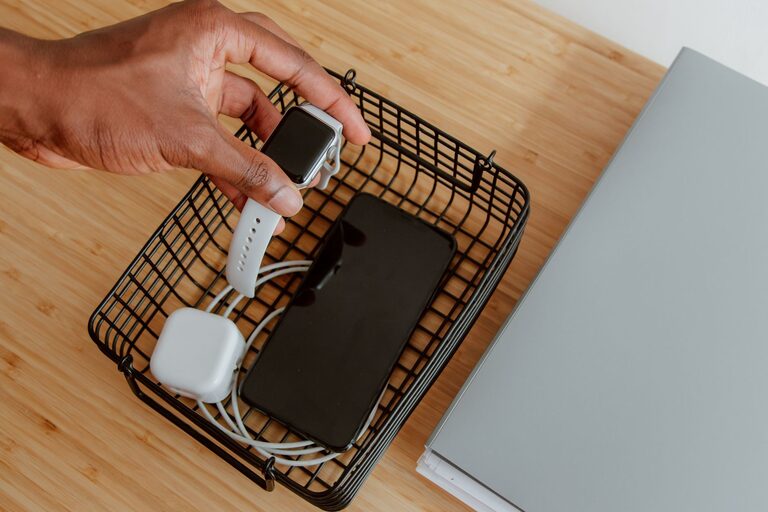
Setting up a charging station for your devices can simplify your life, reduce clutter, and keep all your gadgets powered up in one neat area. Whether you have smartphones, tablets, headphones, or smartwatches, a designated charging station ensures everything is charged and ready when you need it. This guide will walk you through the steps to create a practical and efficient charging station at home.
Why You Need a Charging Station
With the growing number of electronic devices we use daily, it’s easy for cables and chargers to become a tangled mess. A charging station helps to:
– Keep cables organised and reduce clutter
– Save time searching for misplaced chargers
– Protect devices while charging
– Centralise power sources in one location
By investing some time setting up a charging station, you can enjoy a tidier space and keep your gadgets ready to use.
Choosing the Right Location
The first step is deciding where to place your charging station. Consider these factors:
– Accessibility: Pick a spot that is easy to reach, such as a desk, side table, or countertop.
– Power availability: Ensure there is a power outlet nearby to plug in chargers or power strips.
– Safety: Avoid areas prone to moisture or heat, and keep cables away from walkways to prevent tripping.
– Visibility: A visible location reminds everyone to place their devices on charge regularly.
Popular spots include living rooms, bedrooms, or home offices.
What You’ll Need for Your Charging Station
Before assembling your station, gather the following supplies:
– Power strip or multi-port USB charger: Offers multiple outlets to power several devices simultaneously.
– Charging cables: Compatible cables for all your devices, ideally of varying lengths to suit your setup.
– Cable organisers: Clips, ties, or sleeves to keep cords tidy.
– Container or tray: Boxes, baskets, or dedicated charging docks keep devices in place.
– Labels (optional): To mark cables or device spots for easy identification.
– Surge protector (recommended): Protects your devices from voltage spikes.
Step-by-Step Setup Guide
1. Clear and Prepare the Area
Start with a clean, flat surface. Remove any unnecessary items and wipe down the space to keep it dust-free.
2. Position Power Sources
Place your power strip or USB charger on or near the surface. If using a power strip, consider mounting it under the desk or on the wall to keep it off the surface.
3. Arrange Charging Cables
Plug in all chargers or cables into the power source. Use cable organisers to prevent tangling:
– Wrap excess cable length with velcro ties or twist ties.
– Use cable clips to route cables neatly along edges or underneath the table.
– Group cables by device type or length for easier access.
4. Choose a Container or Dock
Use a tray, box, or dedicated charging dock to hold the devices while charging. This avoids devices being scattered and reduces the risk of them falling or getting damaged.
5. Label and Personalise (Optional)
If multiple people use the charging station, label cables or device spots to avoid confusion. Use small stickers or tags to assign cables to phones, tablets, or other devices.
6. Test Your Station
Connect all your devices and check if they’re charging properly. Adjust cable positioning as needed to avoid strain on ports or plugs.
Tips for a Safer and More Efficient Charging Station
– Use certified chargers and cables to protect devices.
– Avoid overloading power strips.
– Keep the charging area clean and dust-free.
– Regularly check cables for wear and replace any damaged ones.
– Turn off charging devices when not in use to save energy.
– Consider environmentally-friendly options, such as chargers with energy-saving features.
Portable and Travel Charging Stations
If you often travel or move between rooms, consider a portable charging station. Compact battery packs with multiple ports or foldable charging pads offer flexibility without compromising organisation.
Final Thoughts
Setting up a charging station is a simple but effective way to maintain order and accessibility for your electronic devices. By following these steps and tips, you’ll create a dedicated space that charges your gadgets efficiently, reduces cable chaos, and fits seamlessly into your home environment. Start with a small setup and expand it as your device collection grows.
Enjoy the convenience of a well-organised charging station!